√ダウンロード windows 10 zip folder not working 323387
Step 4 Rename the folder as "john" and place your tool zip folder in the "run" folder Step 5 Open command prompt, and enter the command cd desktop/john/run and hit "Enter" to alter the John the Ripper "run" folder directory Step 6 Now enter zip2johnexe namezip > zip folder namehash and hit "Enter" Step 7Click Share from the Ribbon Menu;Thats what i thought, but windows would not recognize the format, leave alone, extract it

Easy 1 Minute Fix For The Compressed Zipped Folder Is Invalid Itexperience Net
Windows 10 zip folder not working
Windows 10 zip folder not working- Posts 5,479 04 New #4 It works for me I made password protected zip with 7zip and using standard Windows rightclick, "extract all" gives this Entering the password it extracts fine Interestingly entering the password seems to remove the password from the zip the second time it extracted without promptingThe registry file can be used in Windows 7, 8, 81, and Windows 10 Fix the Zip button in the File Explorer ribbon To fix the Zip command in the File Explorer ribbon if it's not working or appears grayed out, follow these instructions In Windows 10 Open Settings → Default apps → Set defaults by app;


How To Uncompress A Zip File On Windows Mac Linux
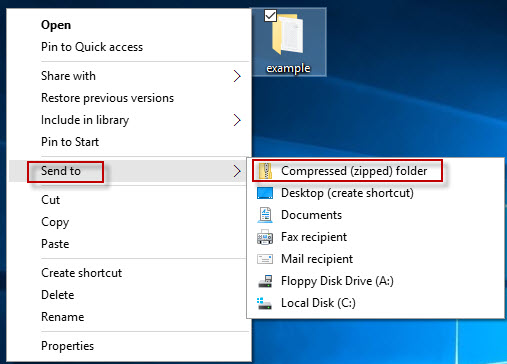
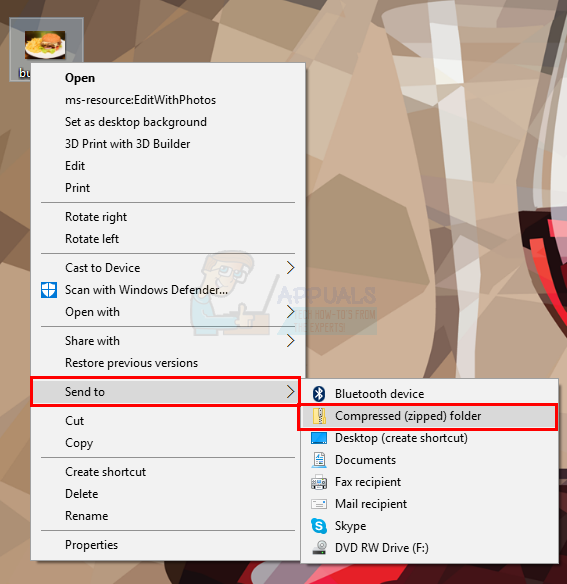
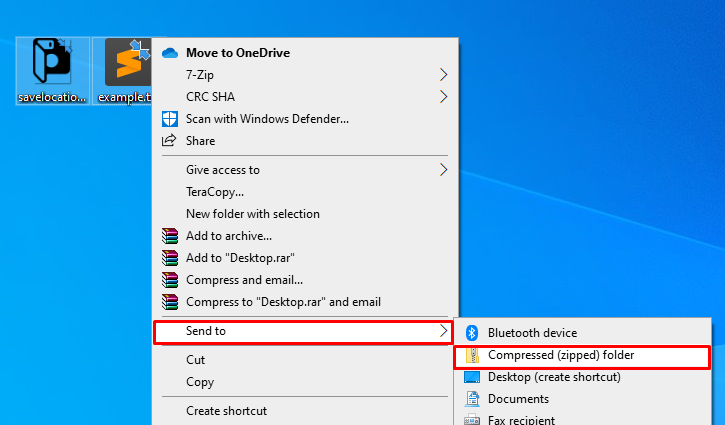
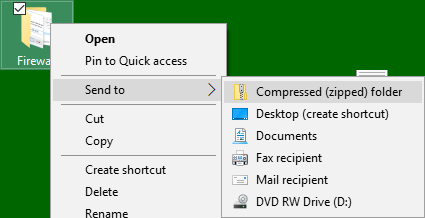
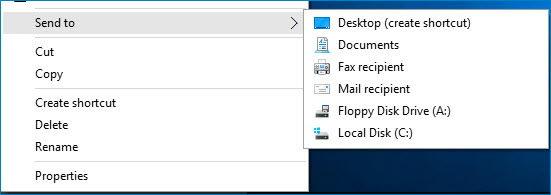
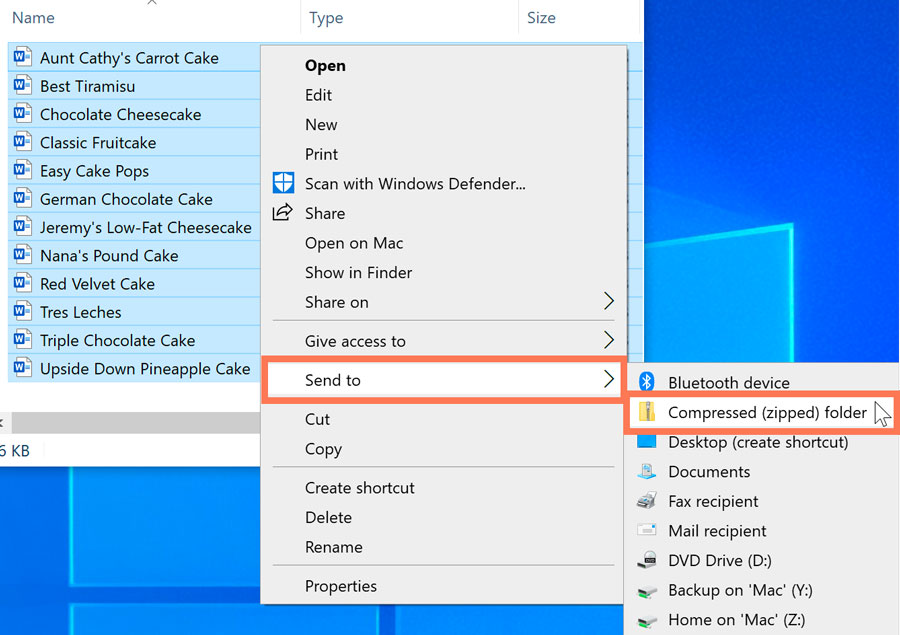
Reset Windows 10 Quick Access with Registry If you are bothered by Windows 10 Quick Access slow or Windows 10 Quick Access not working, you can try these two methods one by one to help you out Solution 1 Reenable Windows 10 Quick Access This is a very simple methodAll that is required to convert a regular File/Folder into its compressed or zipped form is to rightclick on the File/Folder > click on Send to > Compressed (zipped) Folder option If Compressed (Zipped) Folder option is missing from the "Send To" menu on your computer, you should be able to recover the missing Compressed Zip Folder option in Windows 10 by using any of these methods Follow the below mentioned steps to fix the corrupt ZIP folder Right click on the Windows Start button and click on Run Type cmd and press Enter Command prompt window will open Type the file path in which the corrupted ZIP file
The deleted files, if detected, can be restored through Windows 10's Recycle Bin Microsoft is working on a fix for the problem, which is estimated to be available "in early November" In the Windows 10 comes with native support for zip files In File Explorer, select and rightclick on the folders or files you want to zip, select "Send To" > "Compressed (zipped) folder" from the context menuThis will compress your selected folders/files into a single zip file The problem only affects extraction using Windows' own File Explorer The advice is simple "We recommend you fully extract the zip folder before you copy files to a new destination folder to avoid this issue" It does, however, stop short of suggesting that a third party archive manager would be able to do the job or, heck, just
The win7 native tool is very basic Eg it cant extract iso or rar files, so if your files were zipped in an unrecognized format they wont be extractable Best to use a free 3rd party tool like &zip or IZARC yeah! If it's a single file or folder you'd like to compress, rightclick it and a menu will pop up Click "Send to," and then click "Compressed (Zipped) Folder" You can also select multiple files or folders in Explorer, and then follow the same steps above to Once rebooted, please try to add a file to windows file compression, after it fails, start > run > eventvwrmsc > enter > check both the system logs and windows logs and open any with a red mark Find the one that relates to the compression, click the copy and paste icon, and then come back here and paste it
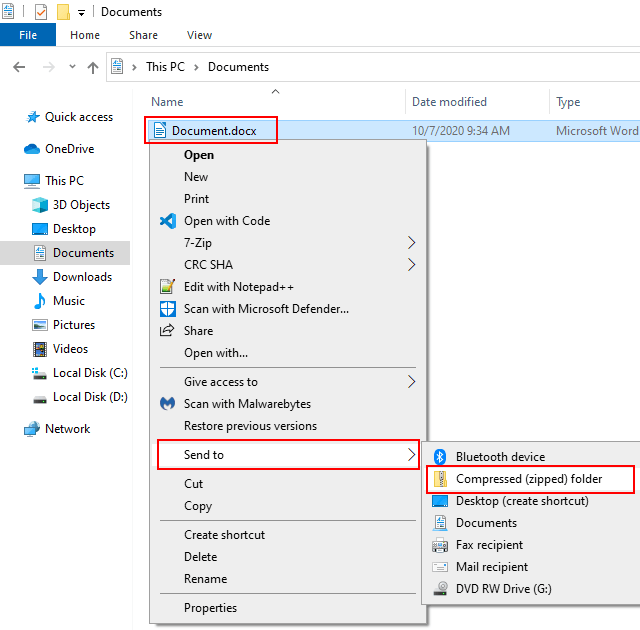
How To Compress Files Or Folders Into A Zip File On Windows 10 5 Easy Ways

Best Method To Zip And Unzip Files In Windows 10 For Free Wpfaqhub
You can fix the problem quite easily by following this simple method Please let's know if it works for you Right click Using 7Zip To Zip Files and Folders in Windows 10 As an alternative to the builtin Windows File Explorer method, you can use 7Zip to create new zip files instead 7Zip Double click on folders not working any more Left Click & double tap not working in windows 10!
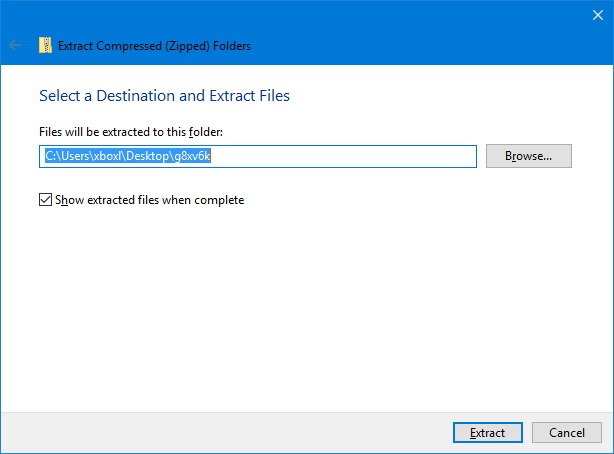
How To Zip And Unzip Files Using Windows 10 Windows Central
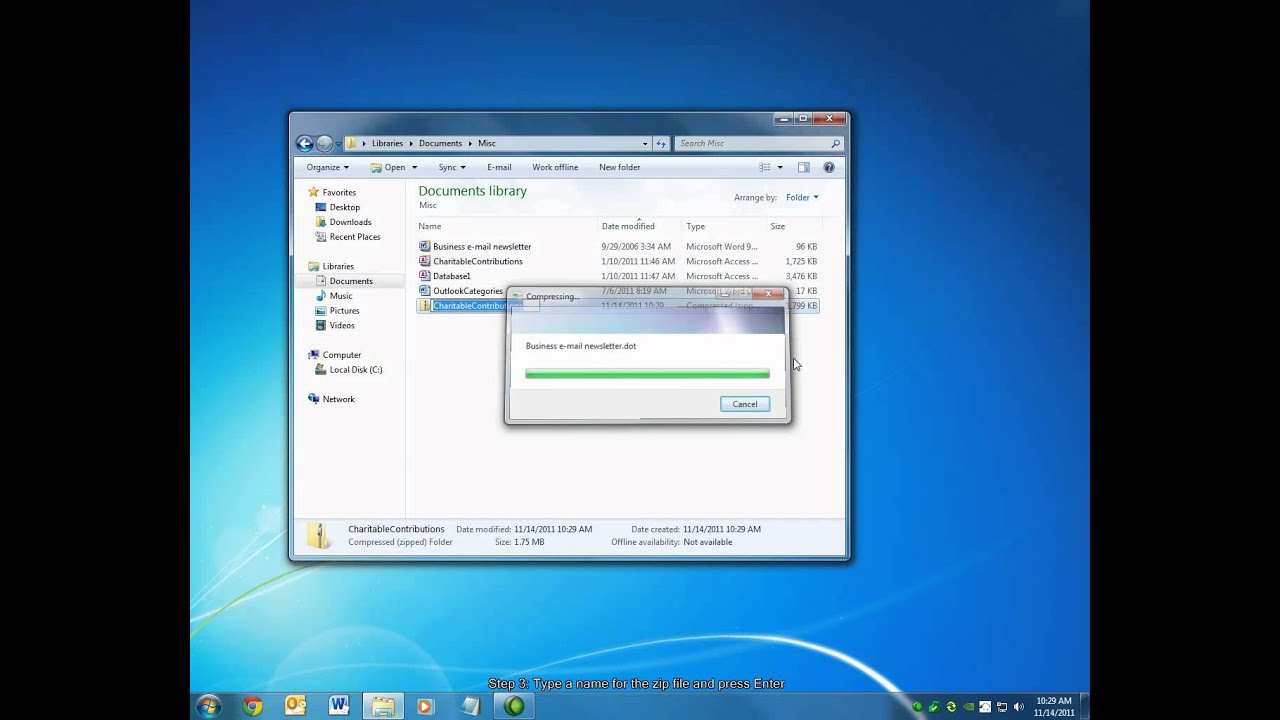
How To Create A Zipped Folder File Youtube
Select 'Folder Options' Go to 'File Types Tab' Find 'ZIP files' Click on 'Advanced' Select 'Confirm' See also Best Jukebox Software For Windows 10 – Updated Guide Once done, you have to redownload the ZIP file and try to open it again It may solve the issue If you still get the message of ' Windows compressedAlthough I am able to move the cursor/pointer How to fix Windows cannot open the compressed ZIP folder There are several ways to fix the issue, but the success rate depends on the cause of the problem Follow the steps below to fix the compressed zipped folder is invalid ZIPfile is too large If your ZIPfile is huge, you may need to use a thirdparty tool like 7ZIP This tool is
Password Protect A Zip File On Windows 10 With Images
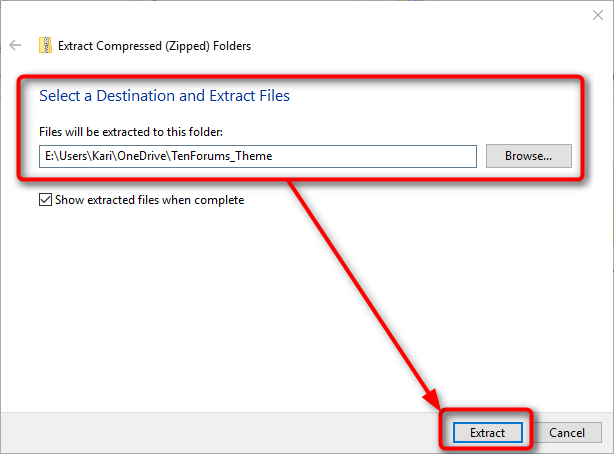
How Do I Open Zip Files In Windows 10 Do I Need To Install Winzip Windows 10 Forums
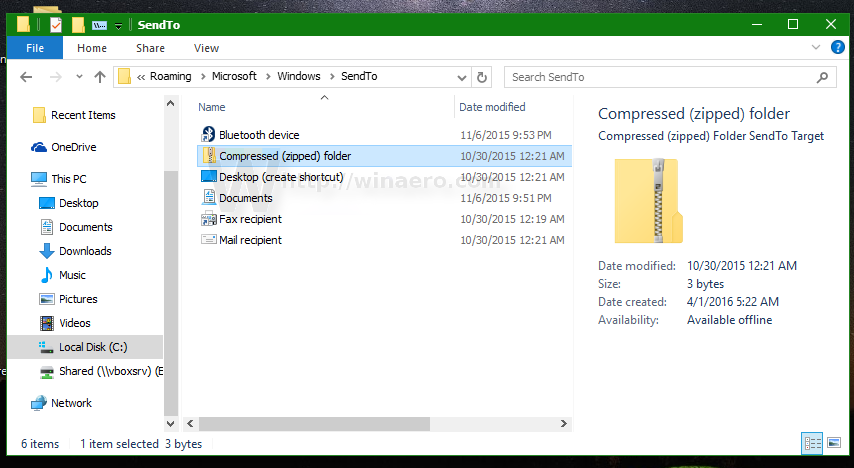
Windows 10 makes it easy for users to create ZIP folders Unlike in earlier Windows editions, all you have to do in Windows 10 is rightclick on the files and go to Send to > Compressed (zipped) folder It has all current Windows Updates and runs on a solid state hard drive, Core i7, 16GB RAM The only issue is that compressed folders are extremely slow to open You open a compressed (zipped) folder, and even browsing the files inside of it can take 530 seconds to respond The rotating circle and NOT RESPONDING appear in the window Compressed (zipped) folder program has stopped working Windows 10 has suddenly stopped allowing me to zip files together in a file explorer window I select the files, then right click, expecting to see the "send to" options in my shellsendto folder (Bluetooth device, Bluetooth, Compressed (zipped) folder, Desktop (create shortcut), Documents, Fax recipient,
1
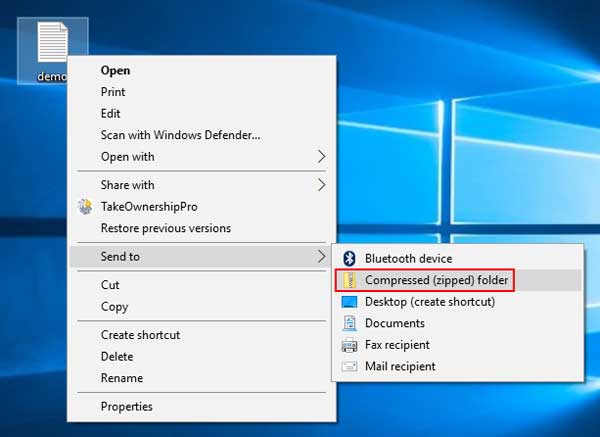
Send To Compressed Zipped Folder Missing In Windows 10 Password Recovery
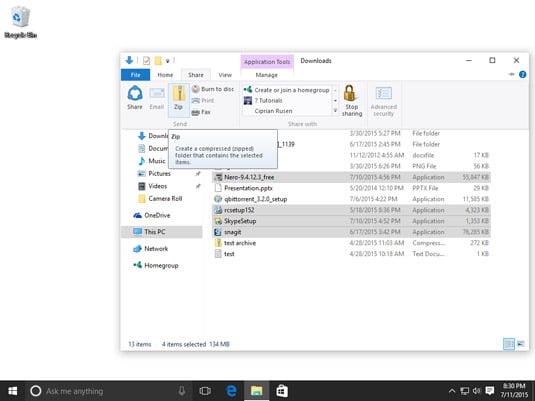
Fix Right Click Not Working in Windows 10; You can use the ribbon menu to zip your files on Windows 10 The ribbon menu is the menu at the top of your Windows Explorer Note This method will not work if your file isn't in the file explorer or is on the Desktop Go to your files location and select it; Step 1 Click on File Explorer, also known as the folder icon, located on the Windows 10 taskbar Step 2 Find the file you want to zip Step 3 Rightclick on said file
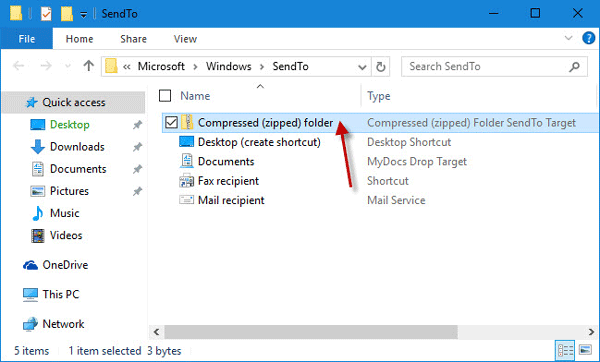
Send To Compressed Zipped Folder Missing In Windows 10 How To Restore
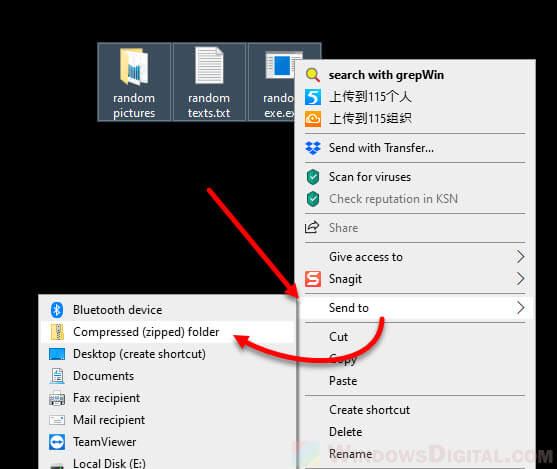
How To Zip A File Or Folder In Windows 10 Without Any Software
Reenable Windows 10 Quick Access; Zip is regarded as the most common compression format used on Windows for the sharing and emailing of files Your Windows can internally handle Zip files without you having to seek the help of external software or an extra tool ZipX This type of Zip file is more advanced than the normal Zip file format ZipX files contain several files that Windows 10 supports zip natively, which means that you can just doubleclick the zipped folder to access its content — and open files However, you always want to
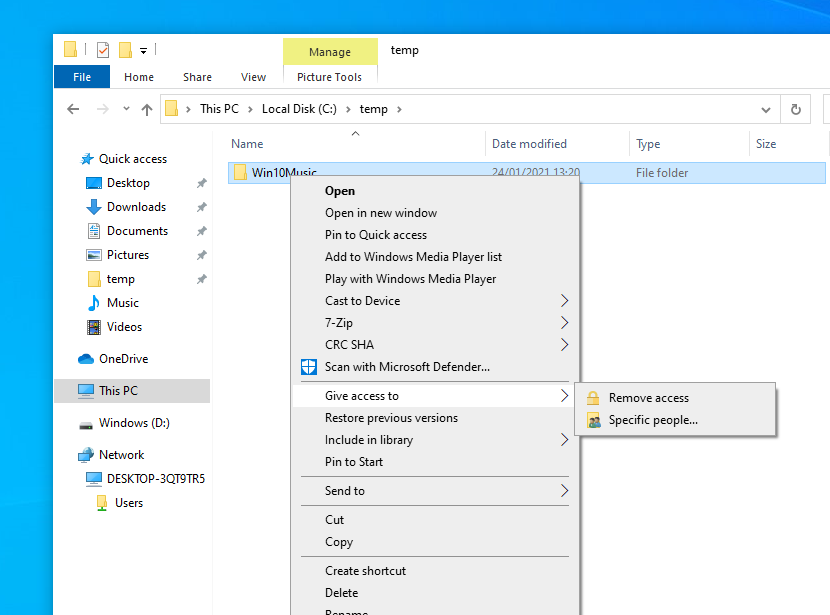
Windows 10 Shared Folder Problems Solutions Guides Volumio
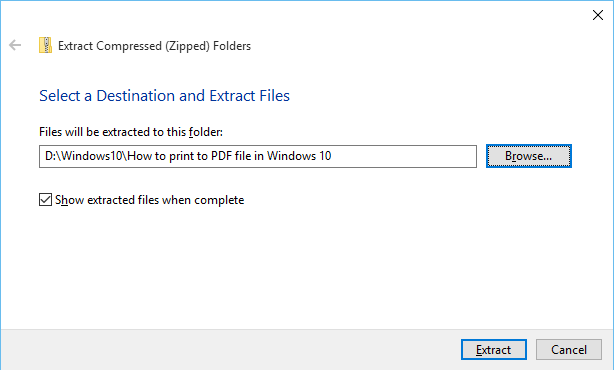
How To Zip And Unzip Files In Windows 10 Simplehow
Posts 1 Joined Mon 704 pm Re Downloading mods on Windows 10, Not working Post by aklein » Mon 116 am Works fine for me Put the zip file in you Documents/My Games/Farming Simulator 17/Mods folder and start the game and open up your save game and it will list the mods in that folder check the ones you wishFix 5 – Just download and Install this Reg file 1 Copy and paste the code Given below in a Notepad State the following some errors that affect ZIP files Header Corruption The headers section of the ZIP file contains information such as name, size and date of creation Changing File Extension Converting a file extension to a particular file to another unsupported file
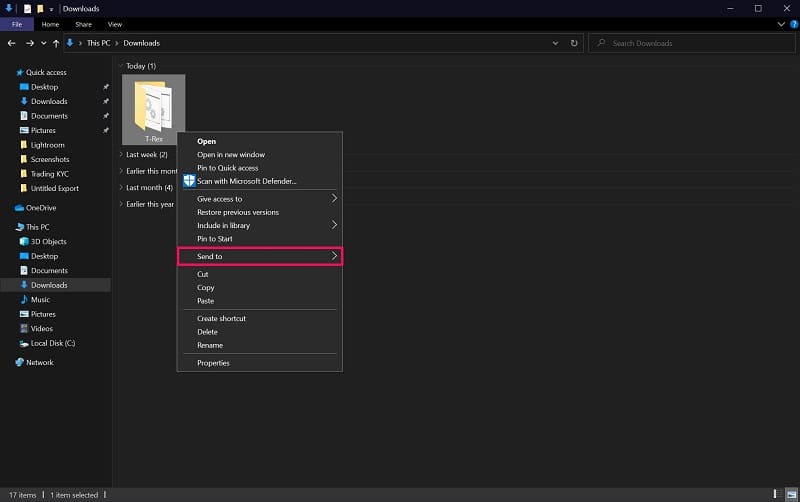
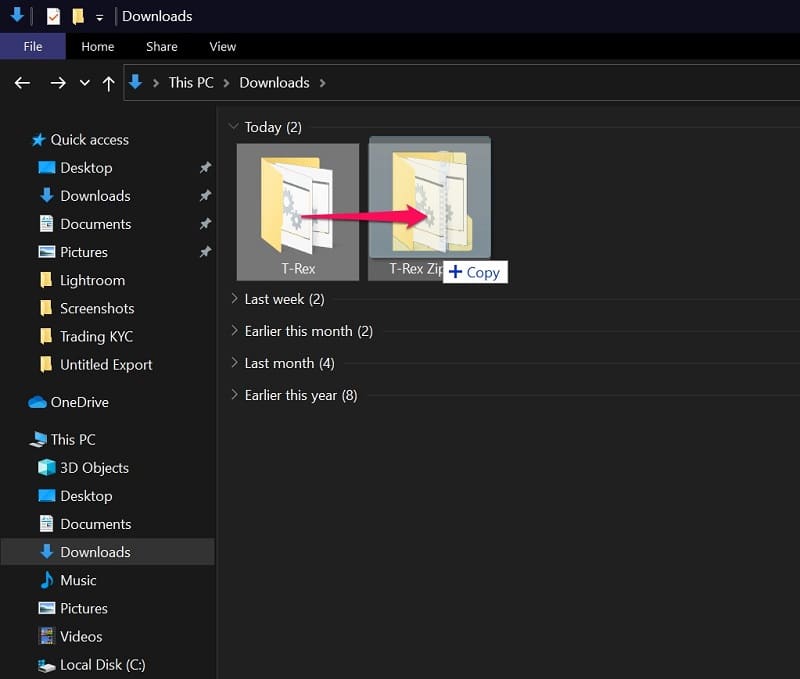
How To Zip Or Unzip Files Without Winzip On Windows 10 8 7 Wincope
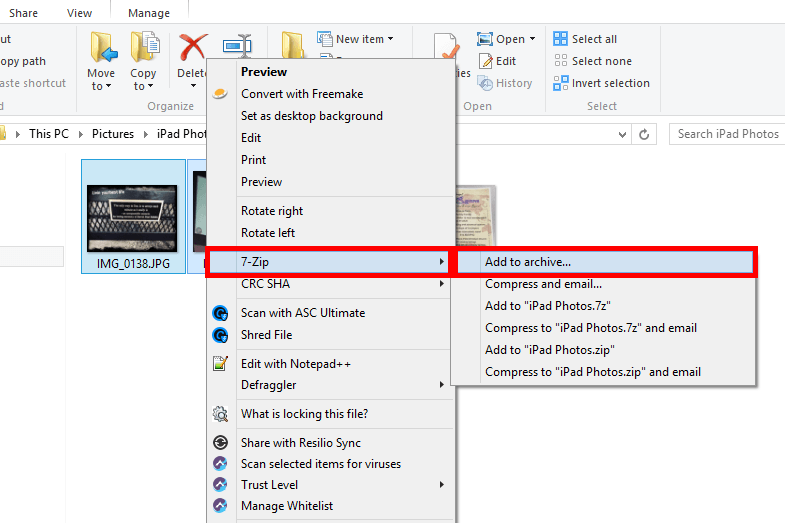
How To Encrypt Zip Files
In General Support Hello, I use a HP laptop & since the last few days I am not able to open any files or click on something since the left (main) key & double tap on the mouse pad are not working! Open Zip/RAR Files Windows 10 via Properties If the first two methods don't work, you can try to open compressed file Window 10 with this method Step 1 Rightclick on a folder or files and select "Properties" at the bottom of the dropdown listWant to unzip the files that you have zipped recently?
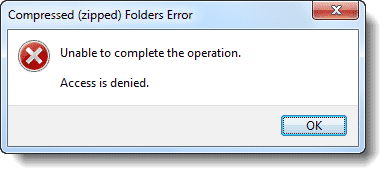
How To Fix Compressed Zip Folder Error In Windows
1t0jnxtq4mxhhm
Cannot create new folder from right click menu in Windows 10 Fix;Can't open zip files in Windows 10? If you see this specific error, then you can be sure that the issue is not from your user account, computer, or zip folder settings The error clearly means that the zip folder itself is corrupted, or the tool used for compressing it malfunctioned Use the following methods to repair your corrupt ZIP folder
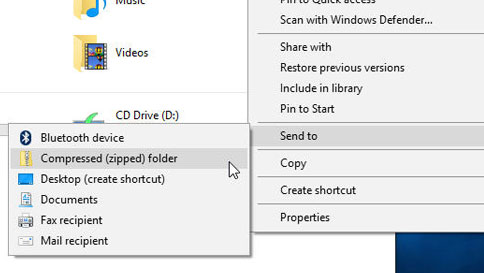
Zip And Unzip Files
Easy 1 Minute Fix For The Compressed Zipped Folder Is Invalid Itexperience Net
Compressing files into the minimal file size are called zipping the file It takes low storage on theHow to open zip files on your Windows computerThis tutorial will apply for computers, laptops, desktops,and tablets running the Windows 10, Windows 8/81, WIn the search box on the taskbar, type file explorer, and then select it from the list of results Rightclick the file you want to zip, and then select Send to > Compressed (zipped) folder

4 Ways To Make A Zip File Wikihow
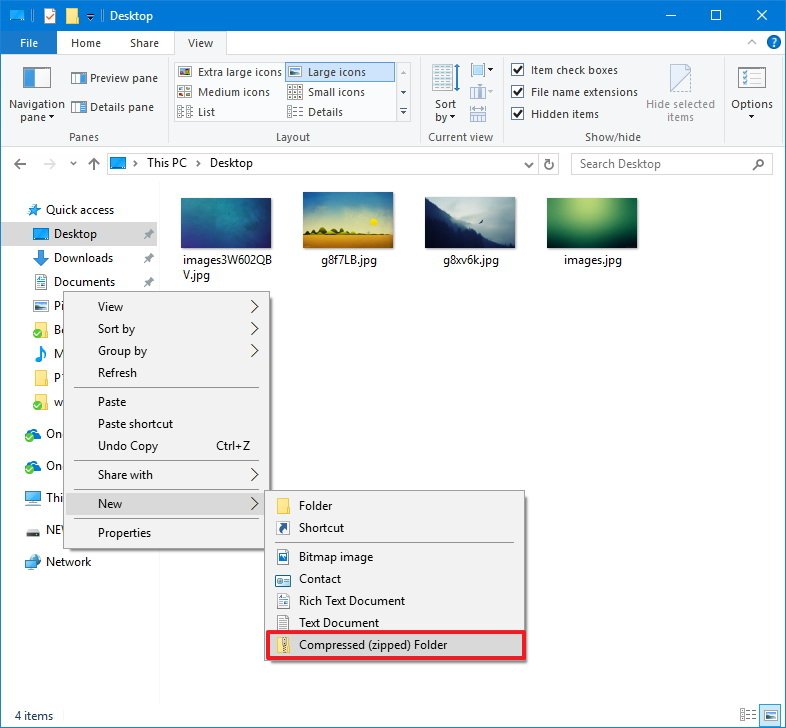
How To Zip And Unzip Files Using Windows 10 Windows Central
Windows 10 1809 ZIP copy fail Microsoft reveals workaround, patch due November Microsoft offers a workaround for a bug that causes the silent failure of copying from ZIP folders to regular foldersSelect File Explorer → ManageClear the Recent App Data in two folders;
1
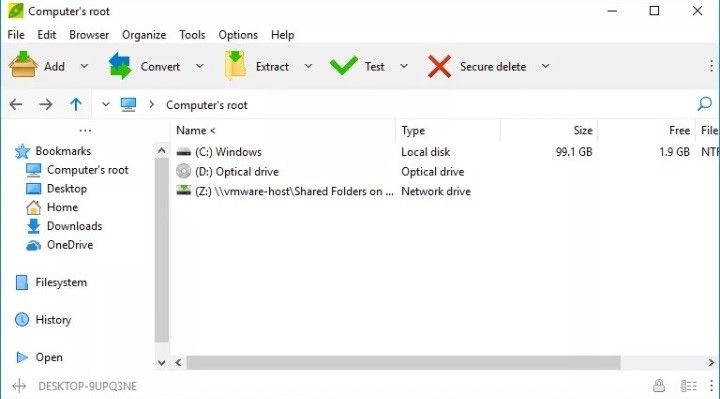
Why Can I Not Open Zipped Or Compressed File
I had this problem, but could not find this mysterious folder, or deep directory, in fact, one of the folders that wouldn't zip had just one Word document in it What I did was to find a folder that would zip (or create one) and then copy the folder that wouldn't zip into it Worked like a charm! In the 'Send to' menu, "Compressed (zipped) folder" is also a very useful feature You can compress your files in a zip file within seconds But sometimes this "Compressed (zipped) folder" feature gets deleted from 'Send to' menu due to some registry error or shortcut problems The following is a procedure to be able to read an old "hlp file" on Windows 10 (x86) (1) First, get the winhlp32exe existing in the Windows directory of Windows XP (x86) (2) Make a temporary folder (for example D\TEMP) on the HDD of Windows 10 (x86)

How To Zip A Folder In Windows 10 2 Methods Itechguides Com
/rename-zip-file-windows-10-5b802b28c9e77c00505d73de.png "How To Create And Email Zip Files")
How To Create And Email Zip Files
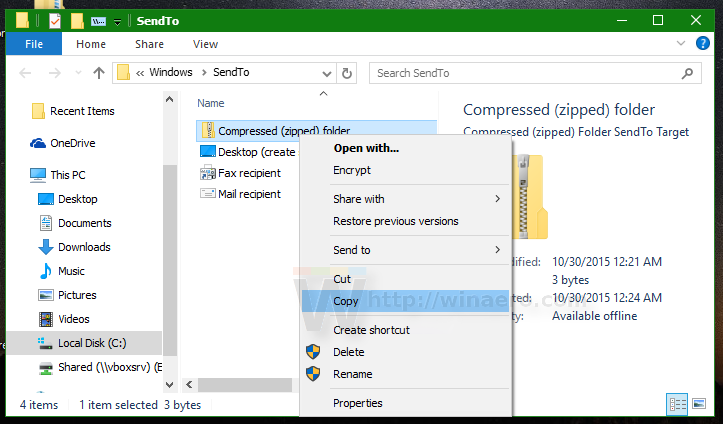
This second Zip file would not be substantially smaller than the first one (it may even be slightly larger) Again, this is because the data in the original Zip file is already compressed Some document files, including those created by Microsoft Office, are actually Zip files with a custom fileClick Zip and press Enter (to confirm the name) Rightclick the " Start " button and open " File Explorer " Select the " View " menu and check " Hidden Items " to show hidden files and folders Navigate to " This PC " > " OS C " > " Users " > " yourusername " > " AppData " > " Roaming " > " Microsoft " > " Windows " > " SendTo "
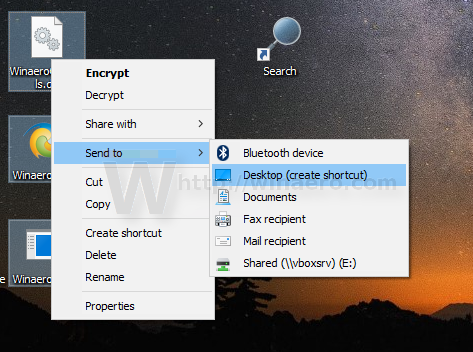
Fix Send To Compressed Zipped Folder Is Missing In Windows 10 Context Menu

How To Fix Windows 10 Start Menu Not Working

How To Zip A File In Windows 10

How To Zip A File In Windows 10 Digital Trends

Zip Or Unzip Files And Folders In Windows 10 Techcult
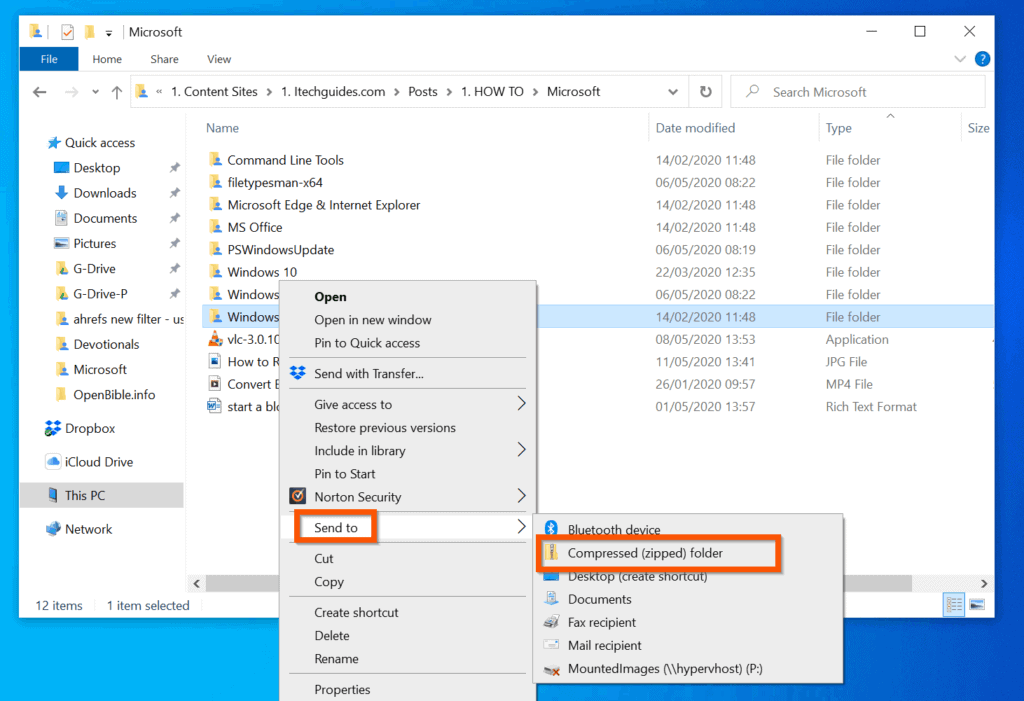
How To Zip A Folder In Windows 10 2 Methods Itechguides Com
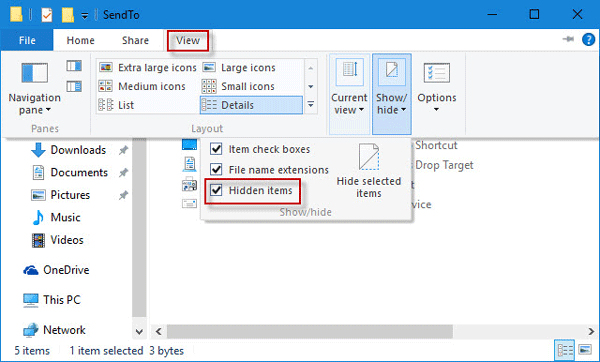
Send To Compressed Zipped Folder Missing In Windows 10 How To Restore
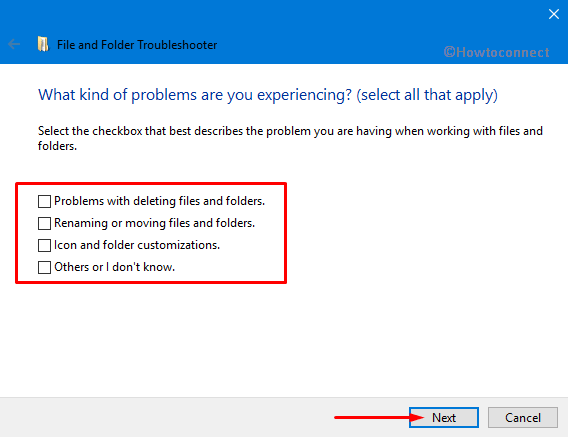
Fix Error 0x When Open Zip File In Windows 10
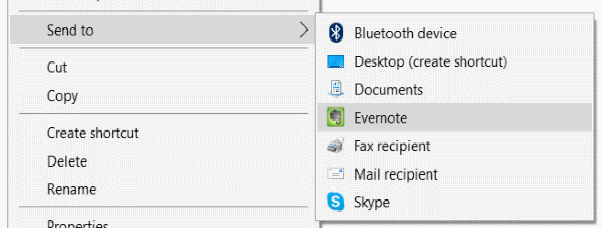
Add Compressed Zipped Folder Option In Send To Menu In Windows 10
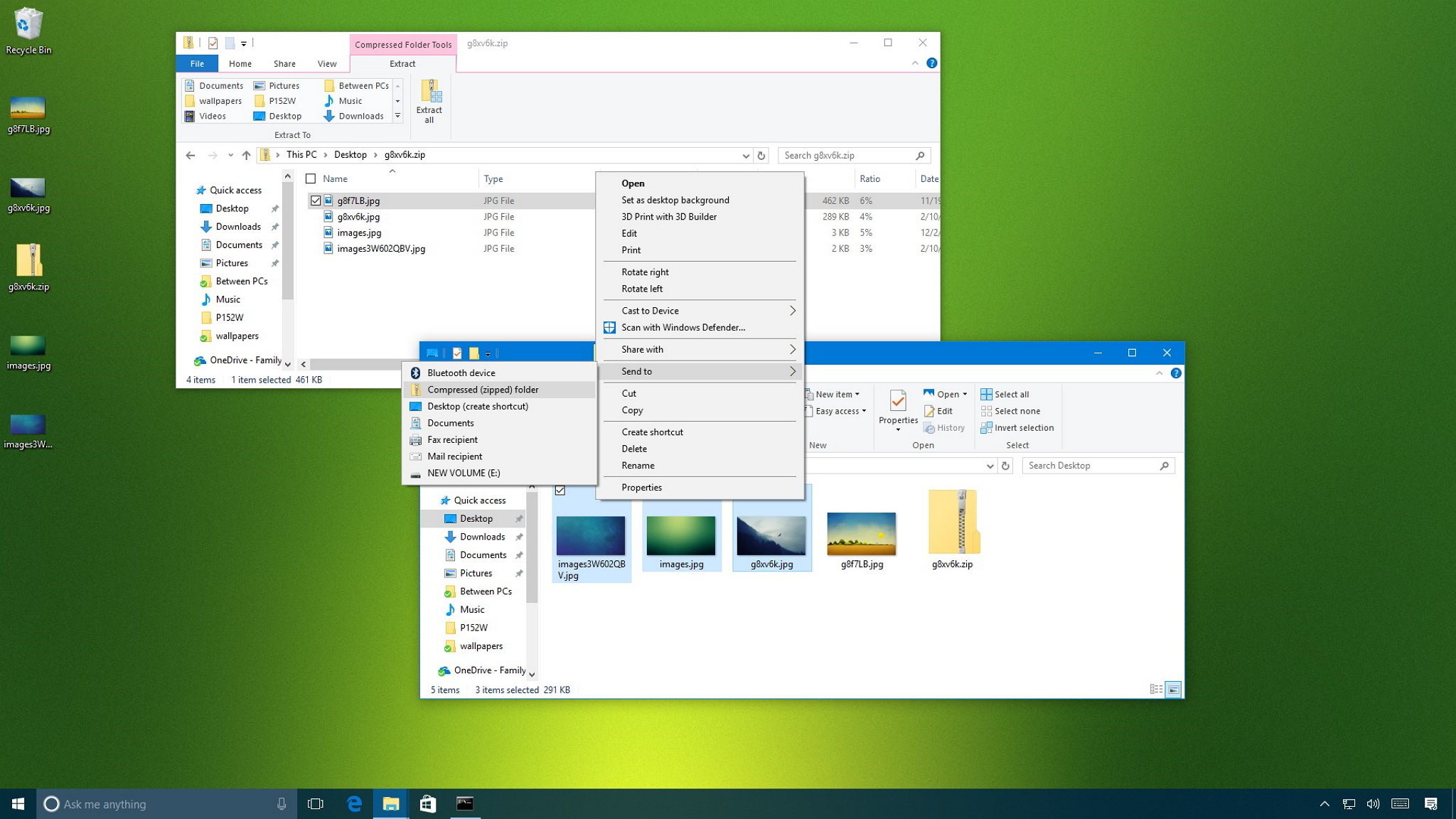
How To Zip And Unzip Files Using Windows 10 Windows Central

How To Zip And Unzip Files On Windows 10
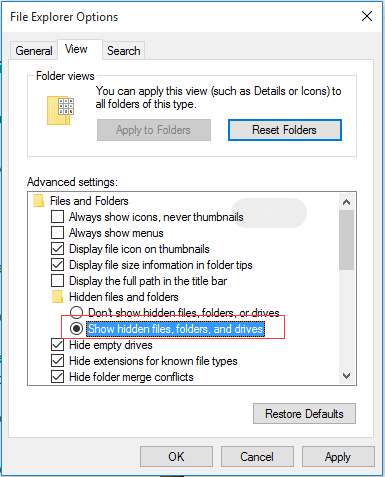
Solved How To Recover Corrupted Invalid Zip Files Easeus
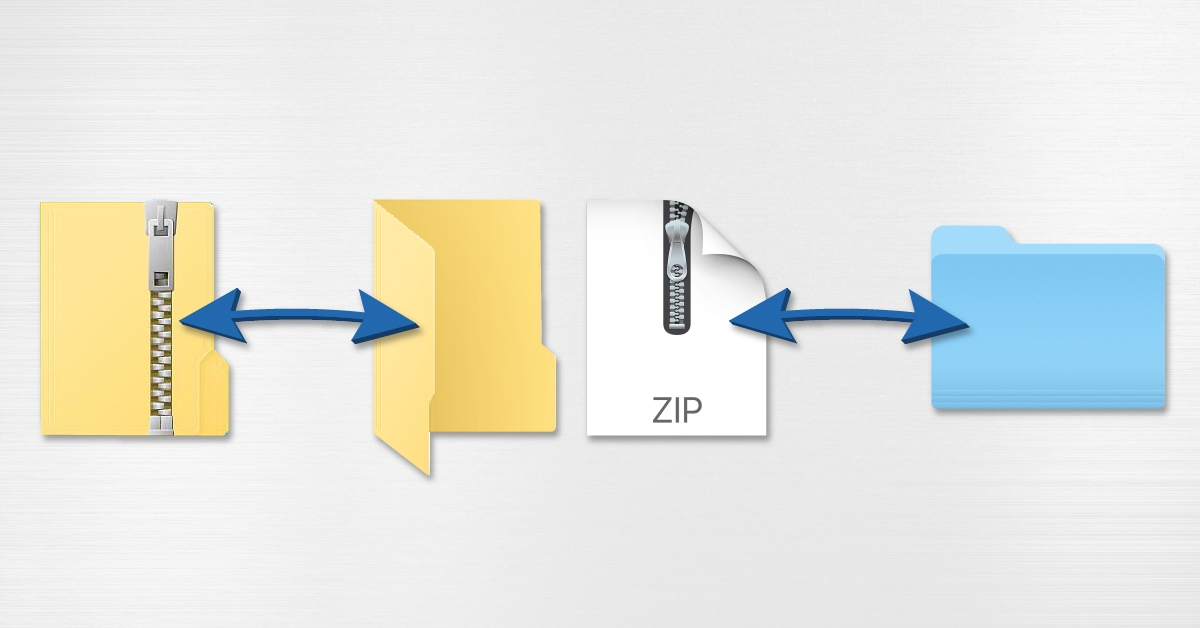
How To Create And Open Zip Files On Pc And Mac Sweetwater

How To Add Files To An Existing Zip File On Windows 10 Zcomtech
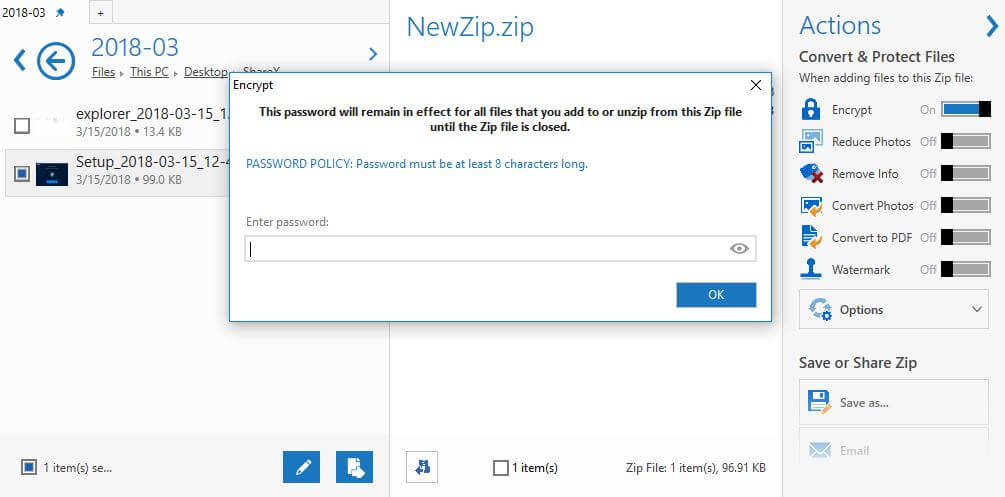
How To Password Protect Compressed Folders In Windows 10
How To Uncompress A Zip File On Windows Mac Linux

How To Zip A File In Windows 10 Tutorial Youtube

How To Create A Zip File On Any Device
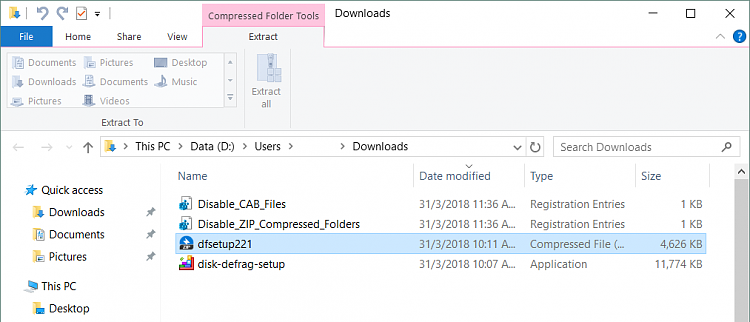
How To Remove Compressed Folder Tools Windows 10 Forums
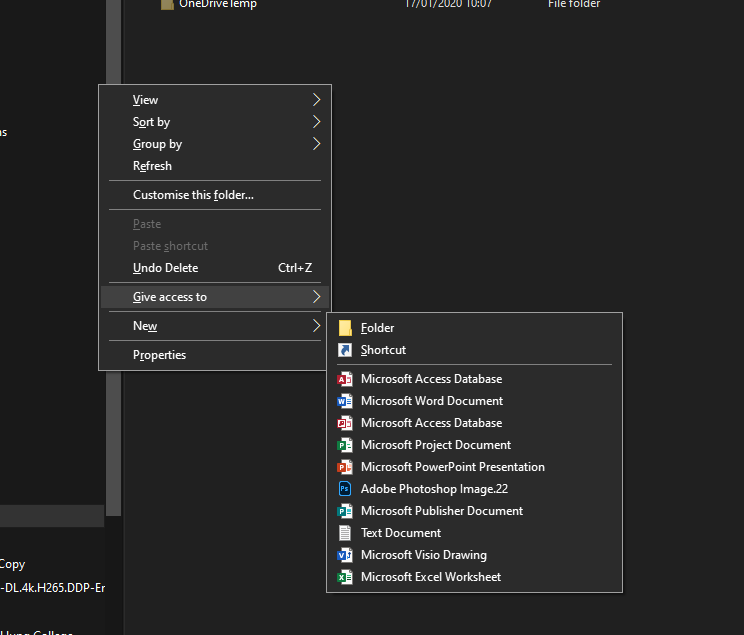
When I Right Click The Blank In A Folder I Can T Find The Choice Microsoft Community
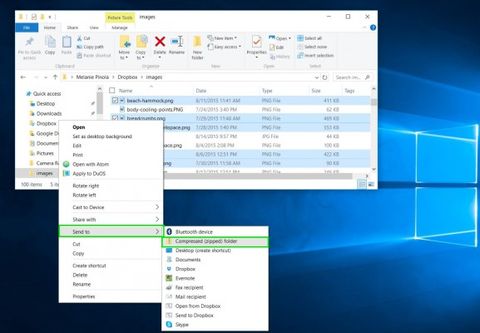
How To Zip A File Or Folder In Windows 10 Laptop Mag
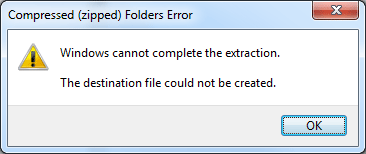
Fix The Error Windows Cannot Complete The Extraction The Destination File Could Not Be Created Password Recovery

How To Zip A File Or Folder On Windows 10 Gauging Gadgets
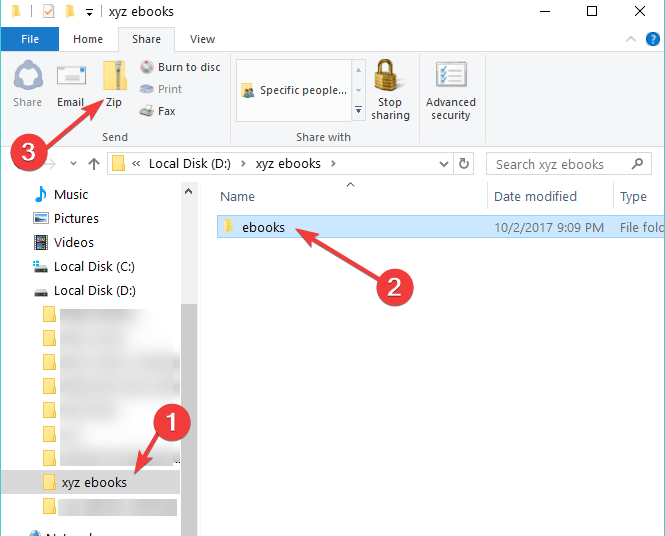
How To Zip Folders On Windows 10 Mac Easy Guide

How To Zip Unzip Files On Windows 10

Fix Compressed Zipped Folder Missing From The Send To Menu
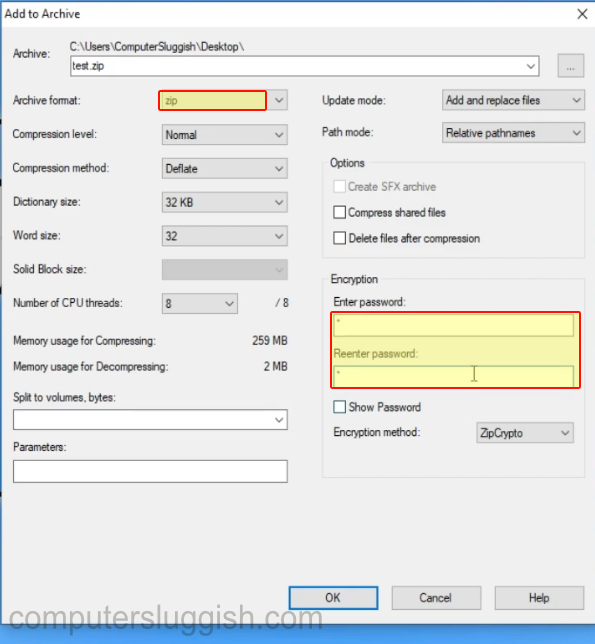
How To Password Protect A Zipped Folder Using 7 Zip In Windows 10 Computersluggish
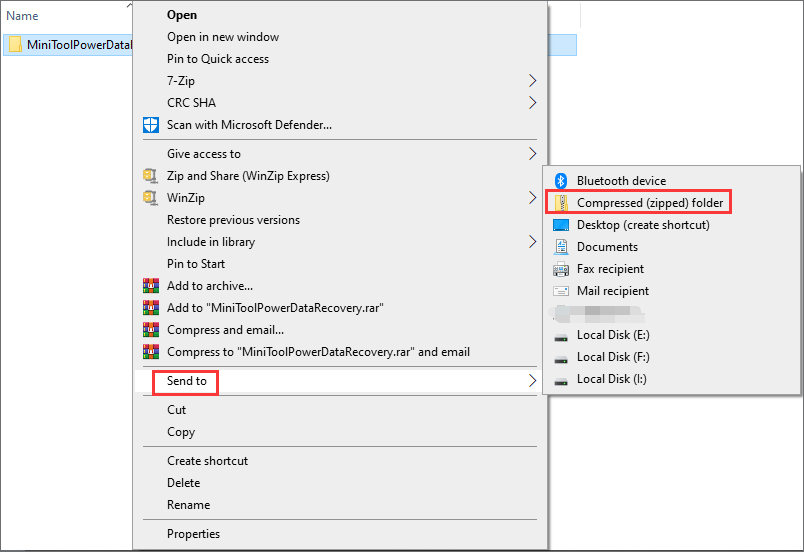
How To Compress A Folder In Windows 10 Or Mac To Reduce Size

Zip Or Unzip Files And Folders In Windows 10 Techcult
How To Zip And Unzip Files In Windows 10 Without Winzip Software
How To Zip Unzip Files On Windows 10 Appuals Com
How To Zip And Unzip In Windows 10 8 7 Save Location
Unable To View The Zip Files In Sharepoint Using File Explorer View

How To Zip Files And Folders In Windows 10 Better Host Review
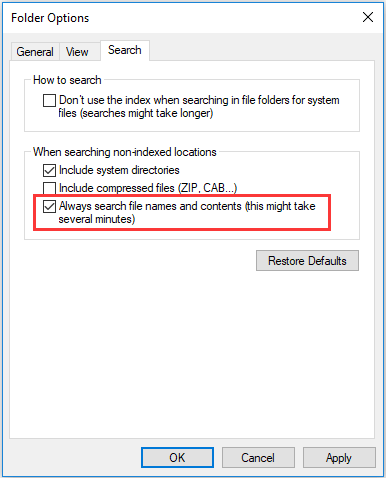
Solved File Explorer Search Not Working In Windows 10
How To Zip A Folder In Windows 10 The Silicon Underground

Windows Cannot Complete The Extraction Error Solved Techcult
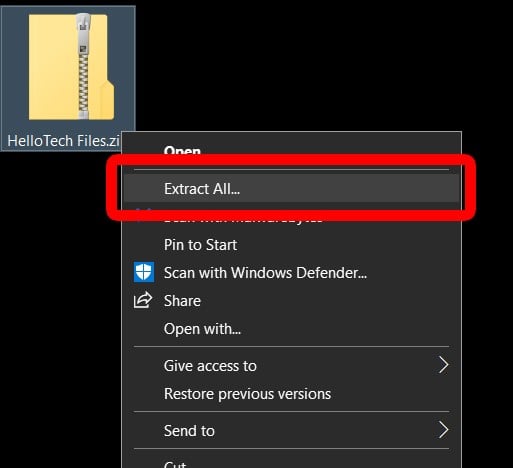
How To Open A Zip File On Any Device Hellotech How
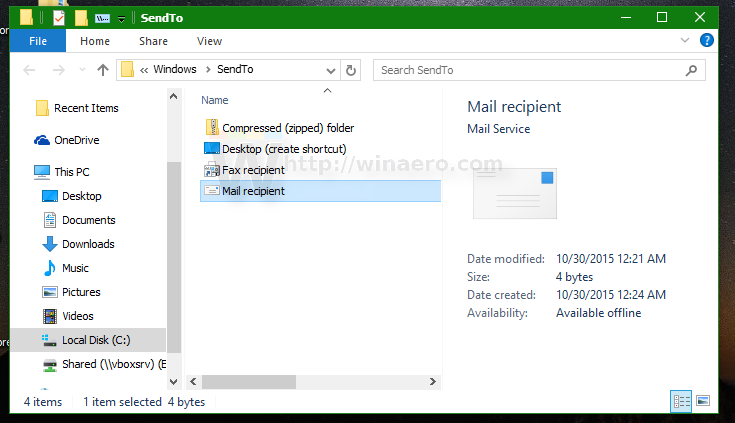
Fix Send To Compressed Zipped Folder Is Missing In Windows 10 Context Menu
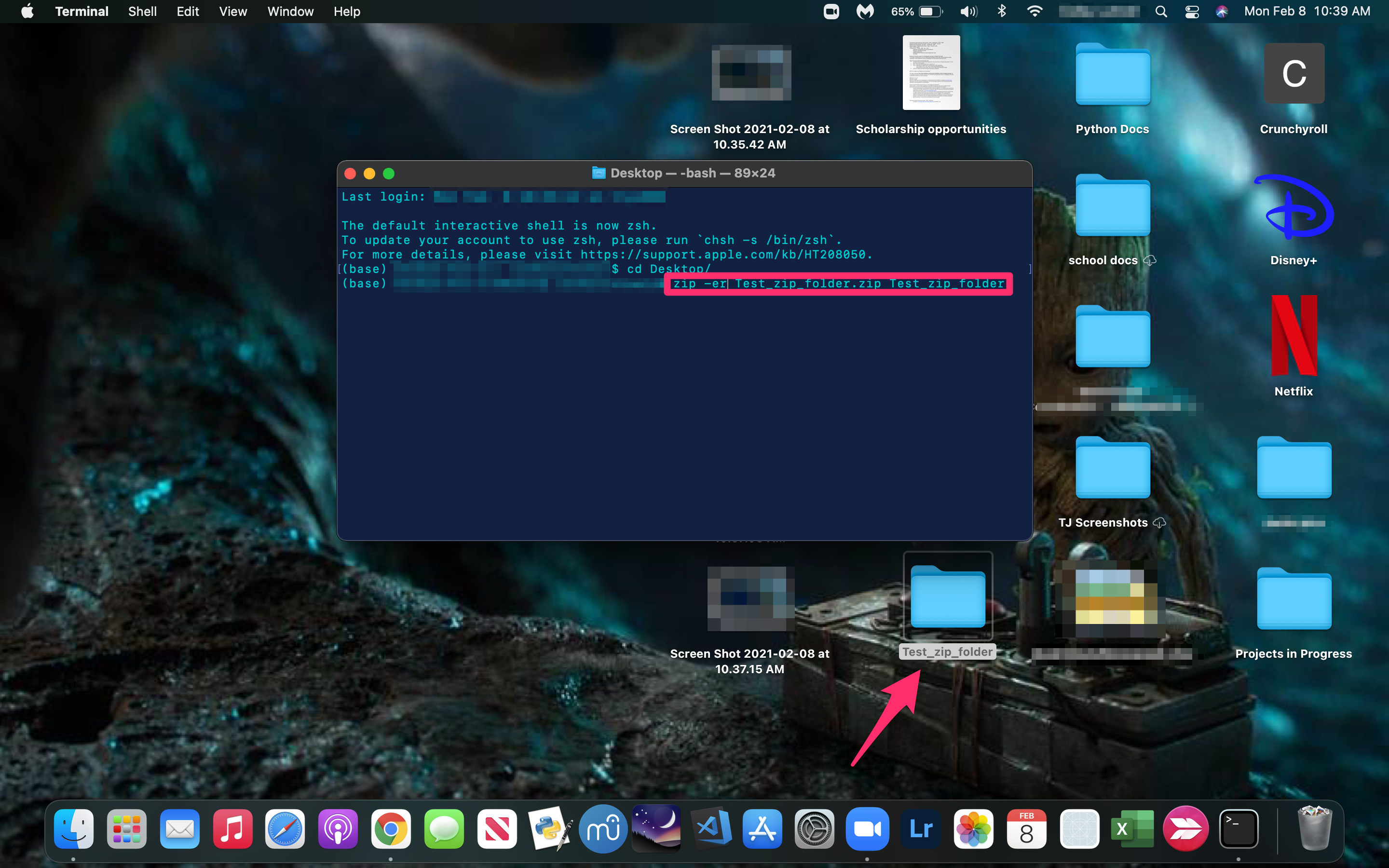
How To Password Protect A Zip File In Macos
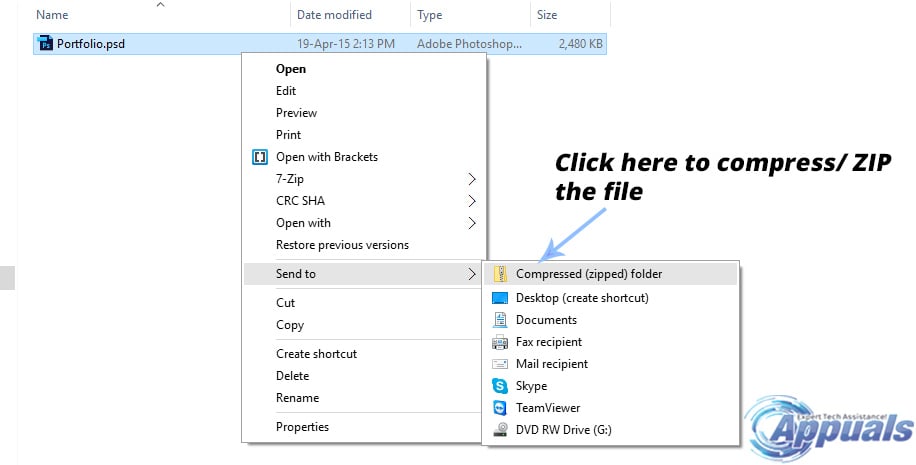
How To Compress Zip A File In Windows 10 Appuals Com
Compressed Zipped Folders Error In Windows 10 File Not Found Or No Read Permission

Zip Files Windows 10 How To Open Zip Files And Fix File Association On Windows 10
How To Restore Missing Compressed Zip Folder Option In Windows 10
Fix Send To Compressed Zipped Folder Is Missing In Windows 10 Context Menu
Send To Compressed Zipped Folder Missing In Windows 10 How To Restore
Can T Open Zip Files Solved Windows 10 Forums
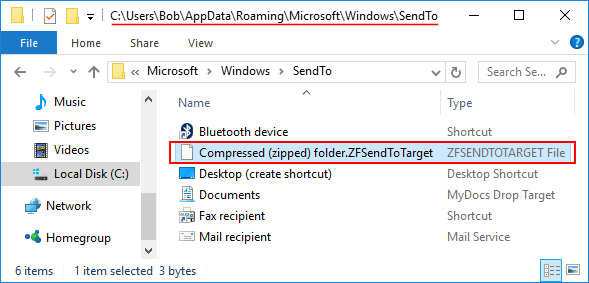
Send To Compressed Zipped Folder Missing In Windows 10 Password Recovery

How To Zip A File In Windows 10 Digital Trends
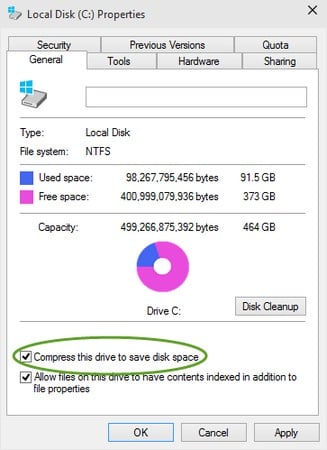
How To Compress Windows 10 Files And Folders With Ntfs Dummies
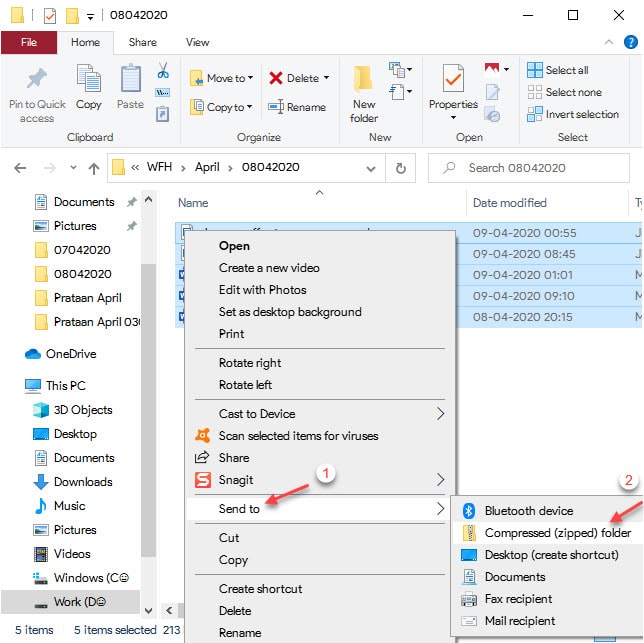
How To Compress A Folder In Windows 10

How To Unzip And Zip Files
1
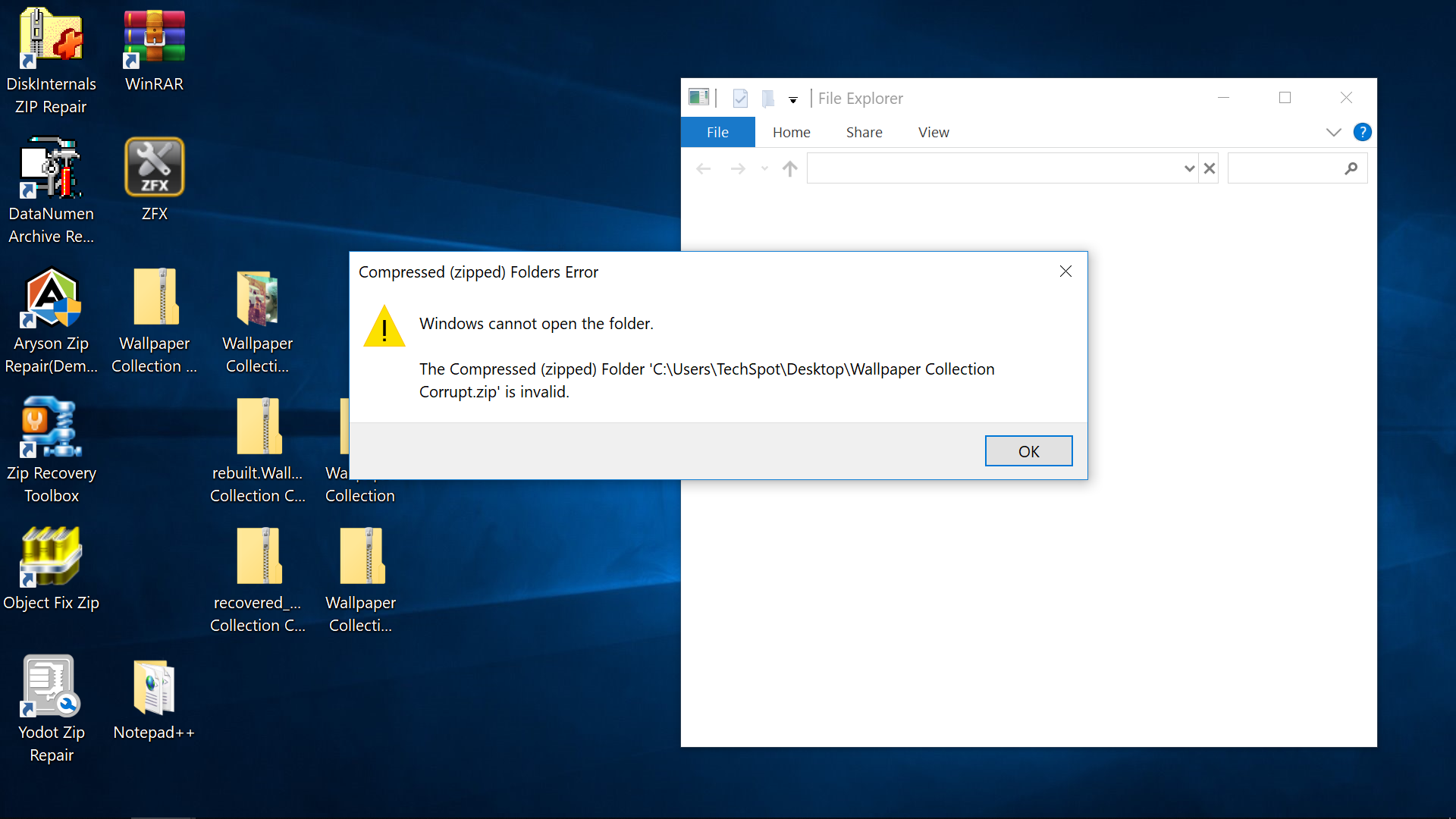
How To Recover Data From A Corrupt Zip File Techspot
How To Zip Or Unzip Files Without Winzip On Windows 10 8 7 Wincope
How To Archive Files And Folders In A Zip File In Windows 10 Dummies

Password Protect Zip File Windows 10 And Mac Os Techs Magic

Restore Missing Compressed Zip Folder Option Windows Bulletin Tutorials
Solved File Explorer Search Not Working In Windows 10
Fix Send To Compressed Zipped Folder Is Missing In Windows 10 Context Menu
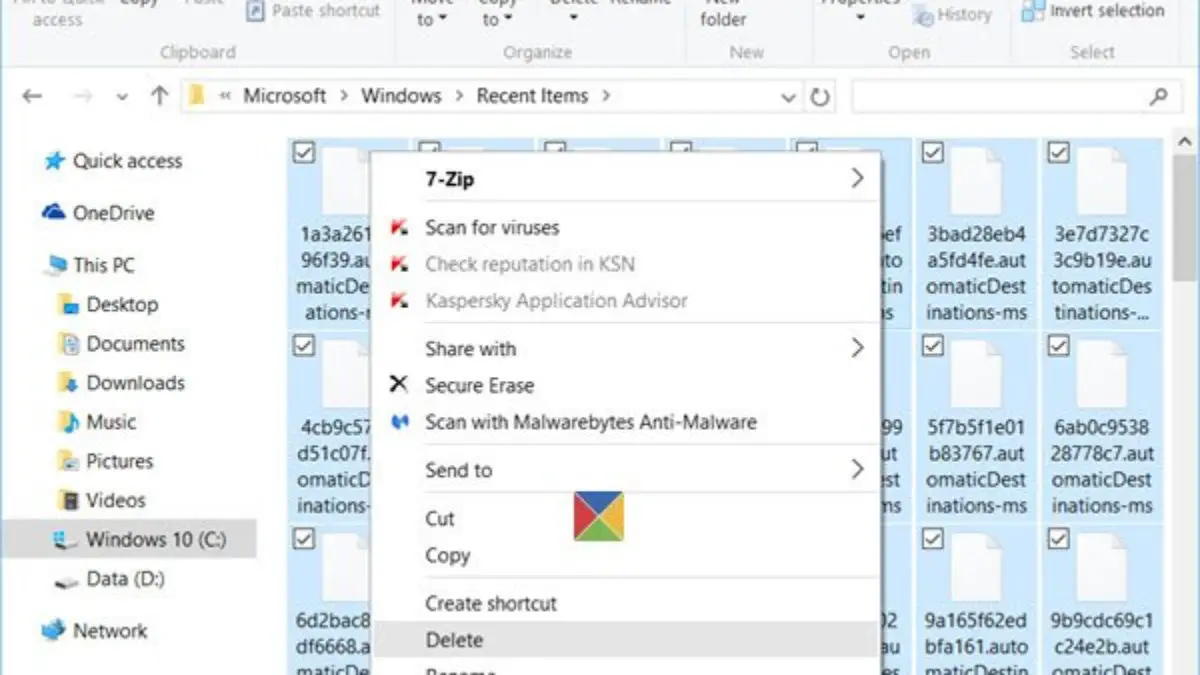
Quick Access In Windows 10 Is Not Working Or Slow To Open
/Desktop-1d52ff960998480aa137ee8aaf67acb4.jpg "How To Create And Use A Zip File")
How To Create And Use A Zip File

How To Zip Folder On Windows 11 Steps With Pictures Wikihow
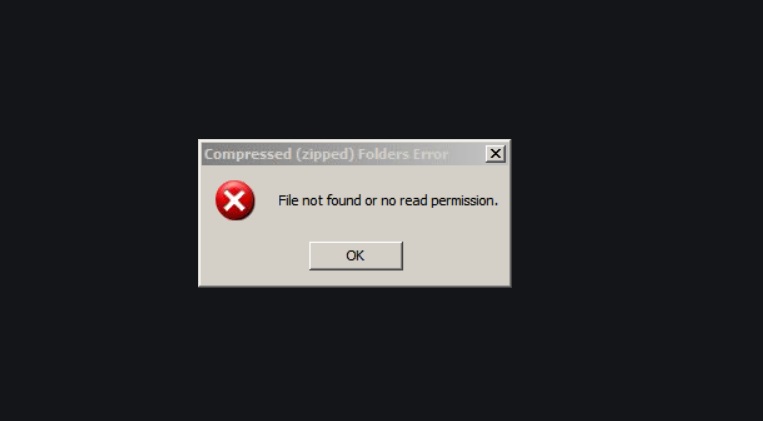
File Not Found No Read Permission Error For Zip Files On Windows 10
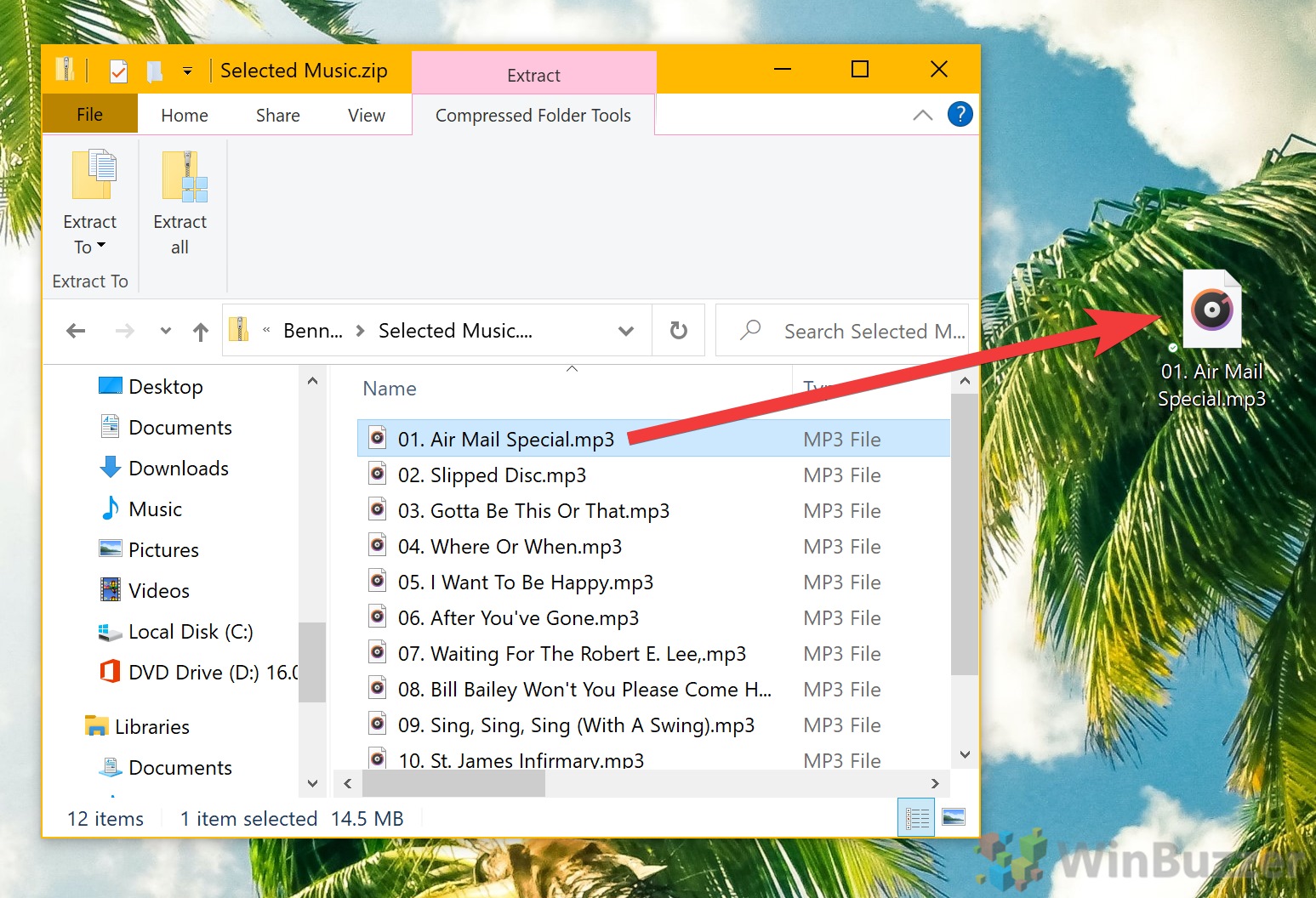
How To Zip Or Unzip A File Or Folder On Windows 10 Winbuzzer
How To Password Protect A Zipped File In Windows 10
How To Restore Missing Compressed Zip Folder Option In Windows 10
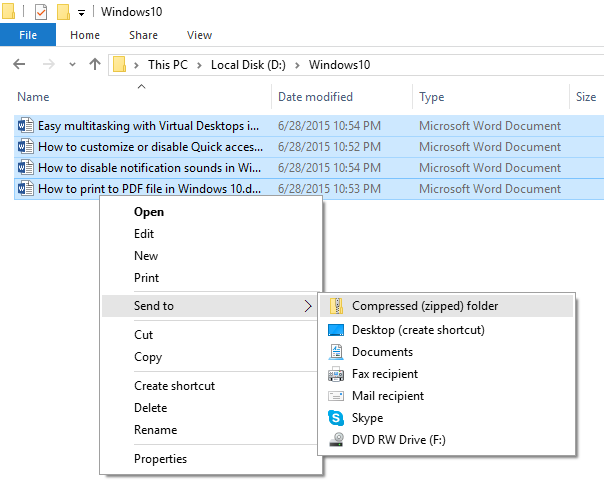
How To Zip And Unzip Files In Windows 10 Simplehow

Windows 10 Compressed Zip Folder Missing From Send To Menu

Windows Cannot Complete The Extraction Windows Cannot Open The Folder Fixed Youtube
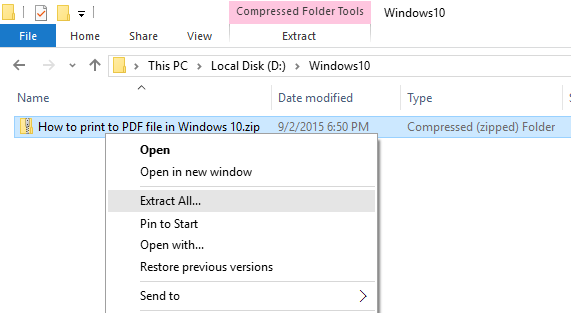
How To Zip And Unzip Files In Windows 10 Simplehow
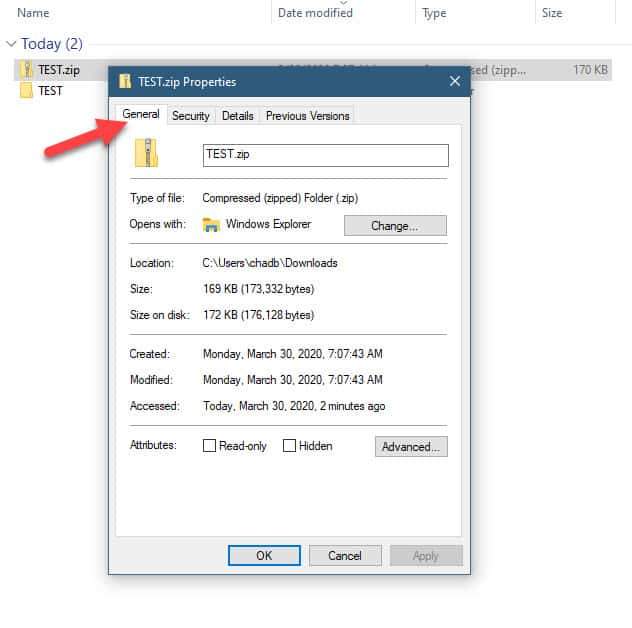
How To Password Protect A Zipped File In Windows 10
1

Everything You Need To Know About Zip Files

How To Zip And Unzip Files In Windows 10 Website For Students
How To Convert A Folder Or Zip Into An Apk On Windows 10 Quora

How To Password Protect And Encrypt Files Using 7 Zip For Windows
Tech Savvy Tips And Tricks Working With Zip Files

How To Zip A Folder Using A Batch File In Windows 10
Access To The Compressed Zipped Folder Is Denied


コメント
コメントを投稿